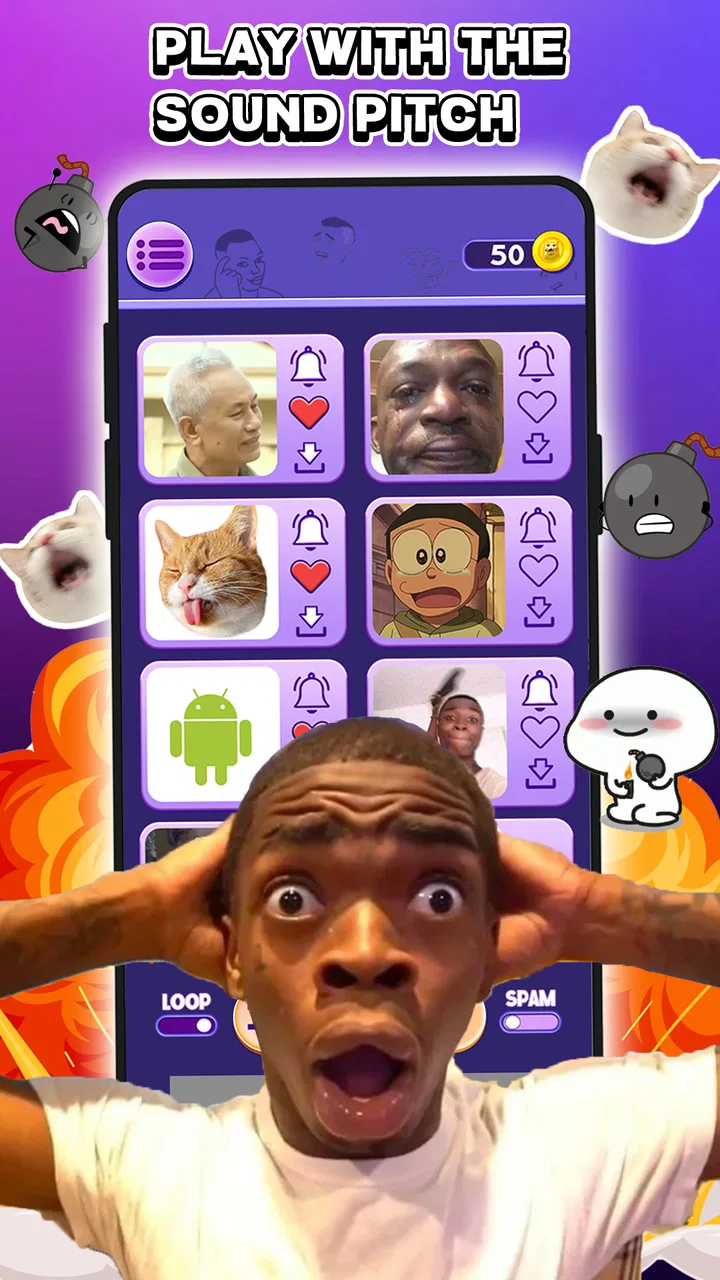
Meme Soundboard 2026: Sound FX
- 3.5
- Rating
- 100.00K
- Installs
- Free
- Price

 Analysis by App-foxy
I tried Meme Soundboard 2026: Sound FX as a quick way to keep funny audio clips ready for everyday moments, and its appeal is easy to understand. It belongs to the Music & Audio category, is free to install, and focuses on short meme-style sound effects rather than music discovery or long-form listening. That makes it more of a pocket soundboard than a complete audio player.
The app is made by MemeSounds Mobi and has passed the one-hundred-thousand-install mark. Its average rating sits at three and a half stars from roughly six hundred ratings, so the public response feels mixed rather than universally enthusiastic. My impression matches that middle ground: it can be entertaining and convenient, but the experience depends heavily on how often you actually use meme sounds and how much patience you have for a simple, novelty-focused tool.
How it works in a shared household
The most natural use is casual sharing. Imagine sitting with friends or family while watching a video, playing a board game, or reacting to an inside joke. Instead of searching through a messaging app for an old clip, you open the soundboard, find a suitable effect, and play it from one place. That small reduction in effort is the app’s main strength.
You May Also Like

 AccuWeather: Weather Radar
AccuWeather Review: A Quick, Clear Forecast for Everyday Decisions
For everyday plans, the best forecast is the one you can understand quickly. AccuWeather makes rain timing, radar, and local conditions easy to act on, with a few trade-offs.

 Hill Climb Racing
Why Hill Climb Racing Still Turns Crashes Into One More Run
A tiny car, a bumpy hill and one more upgrade: Hill Climb Racing keeps resurfacing because its simple chaos makes every near-miss feel personal.

 AliExpress - Shopping App
AliExpress Makes Global Shopping Feel Personal, but Shoppers Bear the Risk
AliExpress turns a global marketplace into a pocket-sized discovery engine. Its reach is useful, its shopping loop compelling, and its trade-offs easy to miss.

 Lords Mobile: Kingdom Wars
Lords Mobile Is a Kingdom-Building Routine, Not a Quick Match
A case-by-case verdict on the building, battles, device demands, and social commitments that make Lords Mobile rewarding for some players and exhausting for others.

 PDF Scanner app - TapScanner
TapScanner Makes Paperwork Easier to Capture, Check, and Share
TapScanner makes scanning with a phone feel less like a rescue operation and more like a dependable step in getting work done. Its capture tools are useful, though not flawless.

 Block Blast!
 Shows How Much a Puzzle Game Can Leave Out
A quiet grid game shows why puzzle players increasingly value instant clarity, repeatable skill and low-pressure play—and where the genre still needs to catch up.
More From Our News Desk
View All News


I would also use it during a relaxed group chat when everyone understands that the sounds are part of the joke. A dramatic reaction, a comic interruption, or a familiar internet-style effect can add personality to a conversation. The important detail is timing: these clips work best as occasional punctuation, not as constant background noise.
On a shared phone or tablet, the app can become a communal toy. One person may browse while another chooses the next sound, which makes it more social than a private ringtone utility. However, this arrangement also creates an obvious boundary. Whoever holds the device controls the moment, so the app is better suited to cooperative use than to situations where people need uninterrupted access to the phone.
I would avoid using it in a quiet room, during a meeting, or around anyone who has not agreed to the joke. Sound effects are deliberately attention-grabbing, and a funny clip becomes irritating quickly when it is played without context. The app does not replace good judgment; it simply makes impulsive playback easier.
What I would do before handing over the device
Before passing a shared device around, I would lower the media volume and check which screen is open. This is a practical habit because a soundboard is designed for immediate playback, and the next tap may be heard by everyone nearby. I would also keep the phone unlocked only for the short period needed for the activity instead of leaving it unattended.
That is especially useful in a household where several people share one device. A child may want to browse the available effects, while an adult may be using the same phone for messages, navigation, or work. Treating the app as a short, supervised activity avoids confusion about who is using the device and prevents an accidental sound from interrupting something important.
There is another useful distinction between private and public playback. A clip that is harmless among close friends may be awkward in a classroom, workplace, or family gathering with different ages and personalities. I found that the best results come from choosing the sound first and then deciding whether the setting is appropriate, rather than opening the app and playing whatever appears immediately.
Setup, device boundaries, and everyday coordination
The app’s purpose is straightforward: browse meme-style effects and use them for quick playback or phone personalization. The store summary also presents it as a way to set sounds as a ringtone or SMS tone. That gives it a practical side beyond jokes, although I would think carefully before assigning a highly recognizable meme to an important notification.
A ringtone is heard by other people, not just the phone owner. In a shared household, a loud or unusual tone can become everyone’s problem if it rings repeatedly. I would reserve the most distinctive sounds for a secondary contact or a low-priority alert and keep essential calls associated with something clear and easy to recognize.
The same principle applies to text notifications. A comic sound may be amusing once, but frequent messages can make it tiring. A better workflow is to test a sound during a quiet part of the day, listen to it at the volume you normally use, and then decide whether it still feels pleasant after several repetitions. That small test is more useful than judging a clip only by its first impression.
People often ask whether a free app like this can be used without paying. The download is free, but optional in-app purchases range from a few dollars to amounts approaching fifty dollars per item. I would treat that as a reason to review the purchase screen carefully before confirming anything, particularly on a device used by more than one person. Free installation does not mean every part of the experience has the same cost.
For a household, account boundaries matter even when the app itself is simple. I would not let several people make purchases from the same unlocked device, and I would keep the person responsible for the phone involved whenever the app presents an upgrade or paid item. This is not a criticism unique to this soundboard; it is simply the sensible way to handle optional spending on a shared screen.
The current version is 25, and it runs on Android 7.0 or later. That makes it accessible to people using older Android phones, which is useful if a family keeps a previous device for casual entertainment. Still, older hardware can have different sound behavior, so I would test playback on the actual phone rather than assuming that a clip will behave identically everywhere.
Coordinating the app with other people
One of the less obvious strengths of a soundboard is that it can support a simple turn-taking routine. In a group, one person can search, another can suggest a category or mood, and a third can decide whether the moment is suitable. That prevents the familiar problem where one person repeatedly taps sounds while everyone else loses interest.
I would create a basic household rule: no playback during calls, studying, sleeping, or focused work. The rule does not require a special control panel; it simply makes the app predictable. If the device belongs to several people, predictable use is more valuable than having unlimited opportunities to trigger a joke.
Another useful approach is to separate “performance” from “personalization.” Playing a sound for friends is an active social moment, while assigning one as a ringtone or message alert affects the phone throughout the day. I would explore the first use freely, but be much more selective with the second. This distinction helps keep the novelty from spreading into every notification.
If you are wondering whether the app is suitable for a group activity, my answer is yes, provided the group is small and willing to participate. It works less well as a formal party-management tool because its value comes from spontaneous reactions, not structured scheduling or event organization. For a family game night, it can add flavor; for coordinating a large event, a messaging or planning app would be a better choice.
Age context, trust, and the right audience
The content rating is Everyone, which makes the app broadly approachable from an age-label perspective. I would still keep the same common-sense supervision I use with any media app that encourages browsing and playback. An age label helps describe suitability, but it does not decide when a sound is respectful, quiet enough, or appropriate for a particular person.
For younger users, the main issue is not complicated operation. It is impulse control. A child may find it funny to replay the same effect many times, especially when other people react. I would show them how to stop playback, agree on where sounds are allowed, and make clear that a shared phone is not automatically available whenever they want it.
Trust works both ways. Adults should avoid handing over a device and then assuming that every tap will be harmless, while younger users should understand that the owner may set limits on purchases, volume, and timing. The app can be enjoyable in a family setting when those expectations are stated before the first sound is played.
I would also be cautious with sounds that imitate alarms, urgent calls, or other signals people rely on. Even if a clip is intended as a joke, confusion can be stressful, particularly for older relatives or anyone who needs to distinguish real alerts quickly. A household soundboard should entertain without making important information harder to recognize.
For adults who want a private collection of funny effects, the app is easy to understand. For someone looking for a serious ringtone editor, a full music library, or a polished audio-production tool, it is probably too narrow. Its focus is the point, but that focus also limits its usefulness once the novelty wears off.
Compared with searching for individual clips on the web, a dedicated soundboard is more convenient because the sounds are gathered around one purpose. Compared with a messaging app, it is faster for immediate playback but less personal because it does not replace the conversations where jokes usually develop. Compared with a general ringtone editor, it appears more playful and ready-made, while offering less control over detailed audio editing.
That comparison helped me place it correctly. I would choose this app when I want quick access to recognizable reaction-style audio. I would choose a music player for songs, an editor for trimming or mixing recordings, and a messaging app for sharing a sound with a specific person. Expecting one soundboard to cover all three jobs would lead to disappointment.
Small habits that make it more useful
My first tip is to decide whether a sound is for live playback or for a notification before assigning it anywhere. A clip that is perfect once in a group may become annoying when attached to every incoming message. This simple distinction prevents the most common kind of regret with novelty audio.
My second tip is to use the app during planned social moments rather than opening it whenever conversation slows down. If everyone knows there will be a short soundboard round, the effects feel intentional. If one person uses it to fill every silence, the same feature becomes disruptive.
My third tip is to test shared-device etiquette with the least intrusive sounds first. That lets children or guests learn the routine without immediately creating a loud interruption. Once everyone understands the volume and timing expectations, more expressive effects are easier to manage.
My fourth tip is to keep paid choices separate from casual browsing. Because individual in-app purchases can be substantial, I would not treat an upgrade prompt as part of the joke. On a family device, the person who manages purchases should make that decision deliberately, after checking what is included and whether the extra content will actually be used.
These habits reveal the app’s real trade-off. It is not difficult because the interface demands technical knowledge; it requires judgment because sound is public by nature. A visual meme can be ignored, but an audio effect immediately reaches everyone nearby. That makes responsible timing more important here than in many other lightweight entertainment apps.
Who should install it and who should skip it
I can recommend it to someone who enjoys meme culture, wants quick reaction sounds, and plans to use them with friends or family. It is also a reasonable choice for an older Android phone that needs a simple entertainment app rather than a demanding media platform. The free entry point makes experimenting easy, as long as optional purchases are handled carefully.
I would skip it if you rarely use sound effects, dislike novelty notifications, or need precise audio tools. People who want to record, edit, layer, or organize their own sound library may find a dedicated audio editor more suitable. Likewise, anyone searching for an extensive music catalog will not get that from a meme soundboard.
I would also avoid installing it on a device that must remain quiet and professional unless you have a clear reason for it. A work phone, a medical-use device, or a phone shared with someone sensitive to sudden sounds may not be the right home for an app built around immediate audio reactions.
The public rating of three and a half stars suggests that expectations should stay realistic. This is a focused novelty app, not a complete audio ecosystem. Its success depends on whether its collection and playback style match your sense of humor and your daily routine. If they do, the narrow purpose feels convenient; if they do not, there is little else here to compensate.
After using it, I see Meme Soundboard 2026: Sound FX as a small social utility rather than an essential Android app. MemeSounds Mobi has aimed at quick access and casual fun, and that direction makes sense for shared moments. The strongest experience comes from controlled, occasional use: choose a sound, play it at a sensible volume, and let the joke end before it becomes background noise.
My household verdict is positive with boundaries. I would keep it on a secondary or shared entertainment device, introduce clear rules about volume and timing, and leave purchase decisions with the device owner. For friends who want a fast soundboard, it is worth trying. For anyone needing serious audio control, dependable quiet notifications, or a broad music service, I would point them elsewhere.
FAQs for Meme Soundboard 2026: Sound FX
01What is Meme Soundboard 2026: Sound FX?
Meme Soundboard 2026: Sound FX is a mobile application designed for both Android and iOS platforms that allows users to access a vast collection of popular meme sounds. Users can easily search, play, and share these sounds, making it a fun tool for meme enthusiasts and anyone looking to add humor to their conversations.
02How do I use the Meme Soundboard 2026 app?
Using Meme Soundboard 2026 is straightforward. Once installed, open the app and browse through the extensive library of meme sounds. You can search for specific sounds using the search bar, play sounds directly from the app, or save your favorites for quick access. Sharing options are available for sending sounds to friends via social media or messaging apps.
03Is Meme Soundboard 2026 free to download and use?
Meme Soundboard 2026 is free to download and offers a wide range of features at no cost. However, there might be some in-app purchases or advertisements. These additional features or ad removals can enhance the user experience, but the core functionality is accessible without any payment.
04Can I add my own sounds to Meme Soundboard 2026?
Yes, Meme Soundboard 2026 allows users to upload their own sounds to the app. This feature enables personalization and creativity, letting users expand their sound collection with their favorite memes or unique audio clips. Detailed instructions on how to upload sounds are provided within the app.
05Is Meme Soundboard 2026 safe to use?
Meme Soundboard 2026 is designed to be a safe and user-friendly app. It complies with standard security measures to ensure user data protection. However, as with any app, it's important to download it from official app stores and be cautious about any permissions requested during installation to safeguard your privacy.
Pros
- Extensive library of popular meme sounds.
- User-friendly interface with easy navigation.
- Customizable soundboard for personalization.
- Frequent updates with new sounds added.
- Offline mode available for on-the-go use.
Cons
- Contains ads that may interrupt usage.
- Limited free features without in-app purchases.
- Some sounds have lower audio quality.
- Occasional app crashes reported by users.
- Requires frequent updates for bug fixes.

Meme Soundboard 2026: Sound FX
Gallery